Mario Kart Tour closes on September 29, 2026. After that, the servers go dark and the app stops working entirely.
You have a few weeks left. Here is how to make them count: two players, one TV, no console required.
What Is Happening to Mario Kart Tour
Nintendo announced that Mario Kart Tour will permanently end service on September 29, 2026. There is no offline version planned, and once the servers close, the app becomes unplayable. Every course, character, and race you have collected disappears with it.
If you have been meaning to do one last race with a friend, now is the time.
Play Mario Kart Tour on Your TV With a Friend Using Party Cast
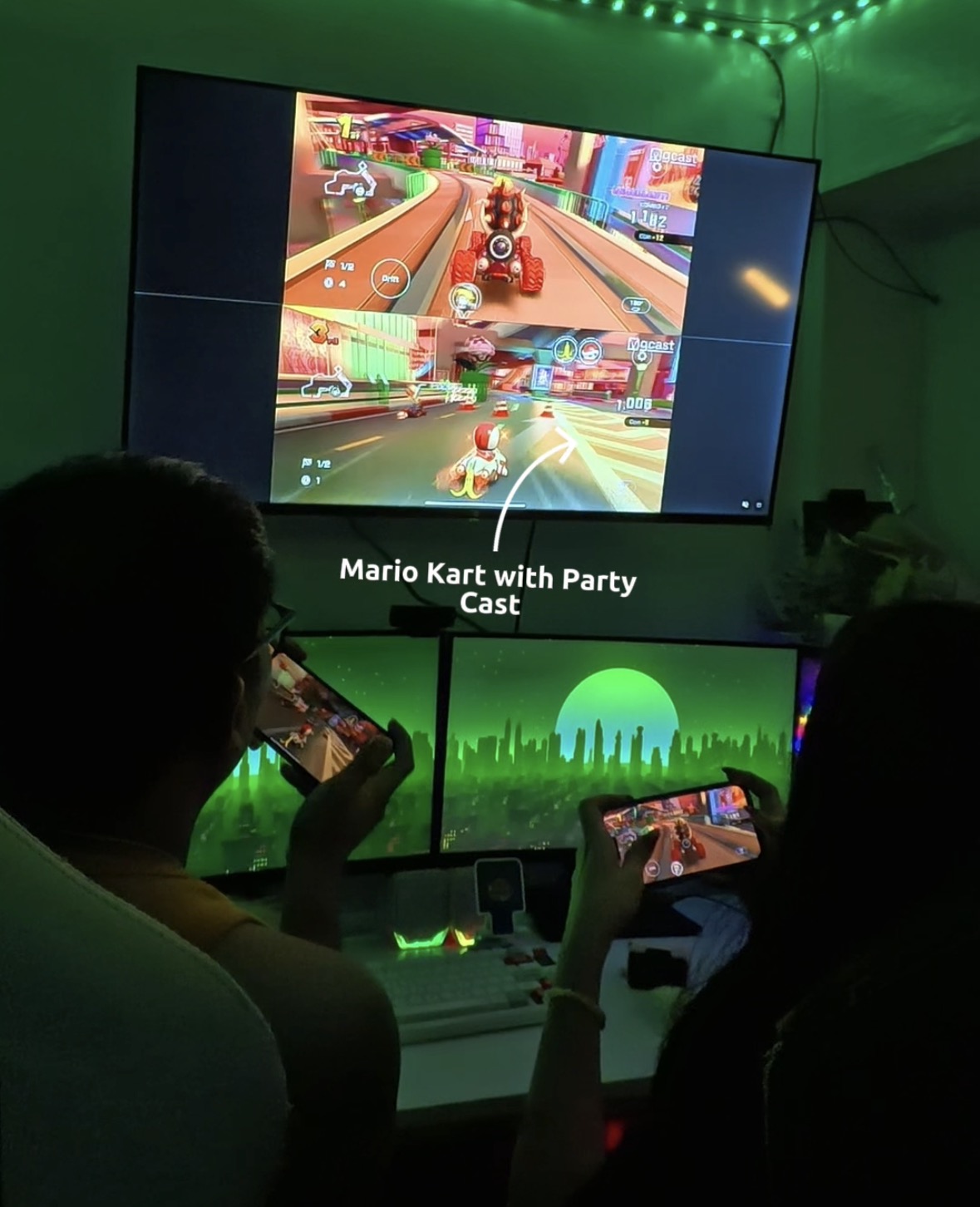
GCast Party Cast lets two phones cast side by side on the same TV at the same time. You race on your phone. Your friend races on theirs. Both screens appear split on the TV so you can actually see each other’s race while you play.
No console. No HDMI cable. Just two phones and the same WiFi network.
What You Need
- Two smartphones with Mario Kart Tour installed (iOS or Android)
- The GCast app on both phones
- A shared WiFi network
- Any TV or monitor with a browser
How to Set Up Party Cast for Mario Kart Tour
Step 1: Open GCast on both phones and pick your game
Launch GCast on both phones. Select Mario Kart Tour as your game. GCast auto-detects screens available on your WiFi network.
Step 2: One player hosts, one player joins
The first player taps the TV to connect and becomes the host. The second player opens GCast and joins the same session. Both phones now link to the same screen.
Step 3: Start the broadcast
Both players tap Start Broadcast and confirm the screen broadcast prompt. Select GCast Stream Extension when it appears on each phone.
Step 4: Open Mario Kart Tour and race
Launch Mario Kart Tour on both phones. Both screens appear side by side on the TV. Race normally on your phones. Everything happens on the big screen in real time.
Tips for Your Last Mario Kart Tour Sessions
- Run 5GHz WiFi. Mario Kart Tour’s race scenes move fast. A stronger connection keeps both casts smooth at the same time.
- Plug both phones in. Two active casts plus an online mobile game drains battery quickly. Play plugged in.
- Play the courses you have not finished yet. After September 29, they are gone. Use these last weeks to race everything you have been putting off.
- Screenshot your best moments. Once the servers close, there is no going back. Grab the memories while you can.
Can I Play Solo on the TV Too?
Yes. If you want to cast Mario Kart Tour to your TV by yourself, GCast works the same way with one phone. Same setup, same speed, just your screen on the full display instead of split.
After September 29
When Mario Kart Tour closes, GCast Party Cast keeps working with any other mobile game. Asphalt 9, Stumble Guys, Call of Duty Mobile, Mobile Legends. The setup is identical. Two phones, one TV, same split screen experience.
Make the Last Races Count
Open GCast, pick Mario Kart Tour, and get your friend on the couch. You have until September 29.